
What to Do If You Clicked a Suspicious Bank Support Text Link
Clicked a suspicious bank support link in a text message? Learn exactly what to do next, how to tell a fake bank SMS from a real one, and how to secure your account before any damage is done.
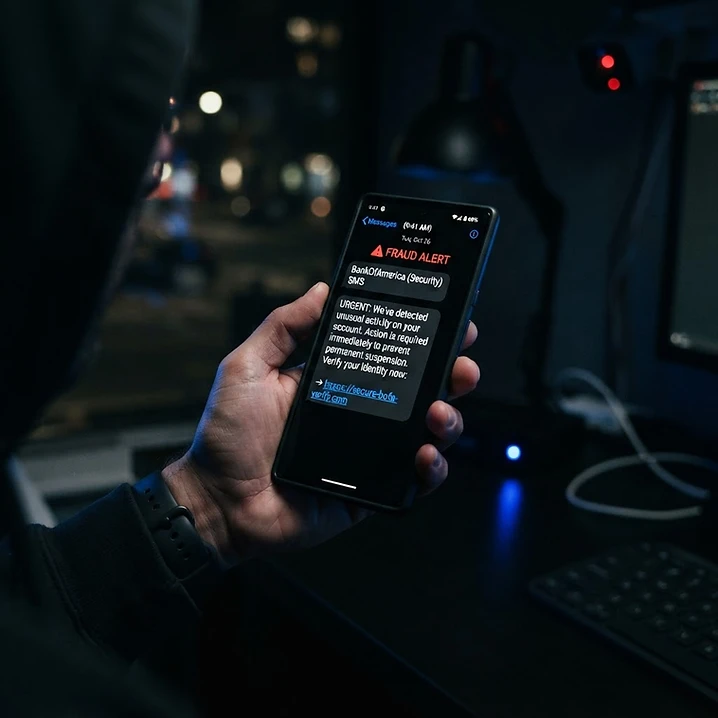
Quick Answer
If you clicked a suspicious bank support text link, do not enter any information. Close the page immediately, do not download anything, and contact your bank directly using the phone number printed on the back of your card or from the bank's official website — never the number in the text. If you already entered login details, an OTP, or card information, treat it as a potential compromise: change your password through official channels, block or replace affected cards, and report unauthorized transactions to your bank right away.
Receiving a text message that looks like it is from your bank is common. Most are legitimate, but a growing number are phishing attempts designed to steal your banking credentials, OTPs, or personal information. This guide explains what to do immediately, how to tell the difference between a real and fake message, and how to secure your account if you interacted with a suspicious link.
1. What to do immediately after clicking a suspicious bank link
The moment you realize the link may be fake, take these steps in order:
- Close the page — do not continue browsing it or enter any information.
- Do not download anything — some fake bank pages prompt you to install a "security update" or "support app." These are often remote-access or malware apps that can take over your phone or computer.
- Do not call any number shown on the page — even if it looks official.
- Note the URL — write down or screenshot the full web address. You will need it as evidence and to report the scam.
- Clear your browser data for that site (optional but reasonable) — this removes any tracking cookies the page may have placed.
- Run a trusted security scan if the page asked you to install anything or behaved unusually.
Important: Simply clicking a link does not automatically compromise your account. The real risk begins if you enter information on the page or install software it offers.
2. Clicking a link vs. entering information
It helps to understand the difference — your response depends on what you did:
| What you did | Risk level | What to do | |---|---|---| | Only clicked the link, entered nothing | Low | Monitor your account, report the link, no urgent action needed | | Entered your bank login (username/password) | High | Change password via official bank site/app immediately | | Entered an OTP | Critical | Call your bank's official helpline now — the OTP may authorize a transfer | | Entered card details | High | Block and replace the card via your bank | | Installed an app the page offered | High | Uninstall it, scan your device, contact your bank |
3. What to do if you entered information
If you entered bank login details
- Change your password immediately using your bank's official app or website (type the address yourself — do not use the link from the text).
- Enable or re-check two-factor authentication on your banking account if available.
- Review recent login activity in your bank app for sessions you do not recognize.
If you entered an OTP
An OTP is often the final step a scammer needs to authorize a transaction or add a new payee.
- Call your bank's official fraud helpline immediately — use the number on the back of your card or the official website.
- Ask them to block any pending transactions and to freeze new payee additions.
- Check your transaction history for any transfer you did not make.
If you entered debit or credit card information
- Block the card now — most banking apps let you freeze a card instantly. Alternatively, call the number on the back of the card.
- Request a replacement card.
- Dispute any unauthorized charges — your bank will guide you through their dispute process.
If you entered UPI details
- Check your UPI app for any unrecognized mandates, requests, or linked beneficiaries.
- Revoke any unknown mandates (in some UPI apps, under "Mandates" or "AutoPay").
- Contact your bank's UPI support line to flag the account.
- Disable UPI temporarily if you suspect ongoing unauthorized access, then re-enable after securing the account.
If you entered personal identification information
If you shared your full name, date of birth, address, government ID number, or similar:
- Monitor for identity misuse — watch for unexpected account-openings, loan enquiries, or credit activity.
- Consider placing a fraud alert with your country's credit bureau if one exists.
- Report identity exposure to the relevant consumer-protection or cybercrime authority in your country.
4. How to identify fake bank support messages
Fake bank messages are designed to look real. Here are the most common warning signs:
Urgent account-blocking messages
- "Your account will be blocked in 24 hours."
- "Suspicious activity detected — verify immediately."
- "Your card has been temporarily locked."
Banks do send genuine security alerts, but they rarely ask you to click a link and "verify" yourself. Genuine alerts typically direct you to log in through the official app.
Fake KYC updates
- "Your KYC is pending. Click to update before your account is suspended."
- "Complete your KYC now to avoid deactivation."
Real KYC requests are usually handled inside your banking app or through official communication channels — not via a link in an SMS.
Suspicious customer-support numbers
- The message includes a phone number to call "for support."
- The number does not match the one on the back of your card or the bank's official website.
Always verify a support number against the official source before calling.
Unknown domains
- The link points to a domain that is not your bank's official domain.
- It may use a lookalike spelling (e.g.,
yourbank-verify.com,secure-yourbank.net) or a URL shortener (bit.ly/...).
Requests for OTP, PIN, or remote-access apps
- The page asks for your OTP, PIN, CVV, or full card number.
- You are asked to install AnyDesk, TeamViewer, or a "support" app so someone can "help" you.
No legitimate bank will ever ask for your OTP, PIN, CVV, or full password — and they will never ask you to install remote-access software.
5. Steps to secure your account
Follow these steps methodically:
- Contact your bank through official channels — use the app, the official website (type it yourself), or the number on your card.
- Change your password through the official bank app or website.
- Block or replace compromised cards — most banks let you freeze a card instantly in the app.
- Report unauthorized transactions immediately — the sooner you report, the better the chance of recovery.
- Preserve evidence:
- Screenshot the suspicious SMS (including the sender ID and full message).
- Screenshot or copy the full URL of the fake page.
- Save any transaction reference numbers for unauthorized transfers.
- Note the date and time of each event.
6. How to report suspected cyber fraud
Reporting channels vary by country. Use the official authority for your location:
- India: National Cyber Crime Reporting Portal (cybercrime.gov.in) and the 1930 cybercrime helpline for financial fraud.
- United States: FBI Internet Crime Complaint Center (IC3) at ic3.gov and the FTC at reportfraud.ftc.gov.
- United Kingdom: Action Fraud at actionfraud.police.uk.
- Canada: Canadian Anti-Fraud Centre at antifraudcentre.ca.
- Australia: Scamwatch at scamwatch.gov.au and ReportCyber at cyber.gov.au.
You can find verified, country-specific reporting channels through GoCheckAI's country guides and official reporting hotlines.
7. How GoCheckAI can help
GoCheckAI is an independent platform that helps you assess suspicious links and messages before you act on them. You can:
- Check a suspicious link or message to get a risk score and an explanation of the signals found.
- Build a personalized action plan if you have already been affected.
- Organize evidence — screenshots, URLs, transaction IDs — in a secure Evidence Vault linked to your case.
GoCheckAI does not guarantee that any link is safe or unsafe with absolute certainty, and using the platform does not guarantee prevention of fraud or recovery of lost funds. It is a decision-support tool to help you act more confidently.
Not sure if a bank link is safe?
Paste the message or link into GoCheckAI's checker for a risk assessment and clear next steps.
Check a suspicious linkFAQ
Is clicking a scam link enough to compromise my bank account?
No. Simply clicking a link usually does not give anyone access to your account. The risk increases if you enter information (login, OTP, card details) or install software the page offers. If you only clicked and entered nothing, monitor your account and report the link, but urgent action is typically not required.
What should I do immediately after clicking a suspicious bank link?
Close the page, do not enter any information, do not install anything, and note the URL. Then contact your bank using the number on your card or the official app — never the number in the suspicious message.
I entered my OTP on a fake bank page — what now?
Call your bank's official fraud helpline immediately. An OTP can authorize a transaction or add a new payee, so time matters. Ask the bank to block pending transactions and freeze new payee additions, then check your transaction history for anything you did not make.
How can I tell if a bank SMS is real or fake?
Check the sender ID, the domain in any link, and whether it asks for sensitive information. Real banks rarely ask you to click a link and "verify" yourself. When in doubt, open your banking app directly or call the number on your card.
Should I call the number in the suspicious text?
No. Always use the number printed on the back of your card or listed on your bank's official website. Scammers include fake support numbers that connect you to them directly.
How do I report bank fraud in my country?
Use your country's official cybercrime or fraud reporting authority — for example, cybercrime.gov.in in India, ic3.gov in the US, actionfraud.police.uk in the UK, and antifraudcentre.ca in Canada. GoCheckAI's country guides list verified channels for many countries.
Can GoCheckAI check if a link is safe?
GoCheckAI can assess a link and explain the risk signals it finds, but it cannot guarantee a link is completely safe or unsafe. Use it as one input alongside official verification through your bank.
Conclusion
Clicking a suspicious bank support link can be unsettling, but in most cases the situation is manageable if you act quickly and through official channels. The key steps are simple: do not enter information, contact your bank directly, secure your cards and passwords, preserve evidence, and report the fraud to the right authority in your country.
If you have been affected, create an action plan to get a prioritized, country-specific recovery checklist in minutes.
Want ongoing protection?
GoCheckAI Pro adds continuous monitoring of suspicious indicators linked to your case. Explore the plans — no guarantees, just tools to help you stay ahead.
Explore GoCheckAI Protection PlansImportant
This article is for general informational purposes only and is not legal, financial, or professional advice. GoCheckAI is an independent platform and is not affiliated with any government agency. Always report crime to official authorities in your country.
High Risk of Recovery Scam
Scam victims are often targeted again by fake “recovery agents.”
- Anyone claiming “We can recover your money for a small upfront fee” is almost certainly a scammer.
- Recovery is never guaranteed. No legitimate service charges an upfront fee to retrieve stolen funds.
- Scammers buy victim lists — expect fake “hackers”, “officials”, and “lawyers” to contact you.